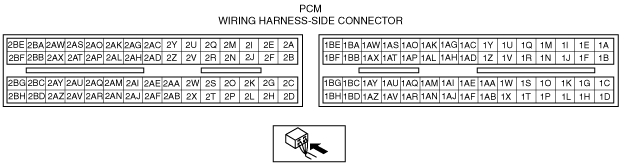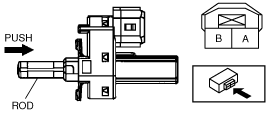
CLUTCH PEDAL POSITION (CPP) SWITCH INSPECTION[LF, L3]
id0140a9801600
MTX
-
Note
-
• Before performing the following inspection, make sure to follow the procedure as indicated in the troubleshooting flowchart.
Continuity Inspection
1. Remove the CPP switch.
2. Verify that the continuity between CPP switch terminals A and B is as indicated in the table.
-
• If there is no malfunction, perform the “Circuit Open/Short Inspection”.
• If there is any malfunction, replace the CPP switch.
|
Measurement condition
|
Continuity
|
|
Push the rod.
|
Continuity detected
|
|
Except above
|
No continuity
|
Circuit Open/Short Inspection
1. Disconnect the PCM connector.
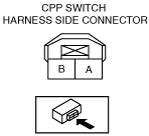
2. Disconnect the CPP switch connector.
3. Inspect the following wiring harnesses for open or short circuit. (Continuity inspection)
-
Open circuit
-
• If there is no continuity in the following wiring harnesses, there is an open circuit. Repair or replace the wiring harness.
-
― CPP switch terminal A and PCM terminal 1D
― CPP switch terminal B and body ground
-
Short circuit
-
• If there is continuity in the following wiring harnesses, there is a short circuit. Repair or replace the wiring harness.
-
― CPP switch terminal A and power supply
― CPP switch terminal B and body ground